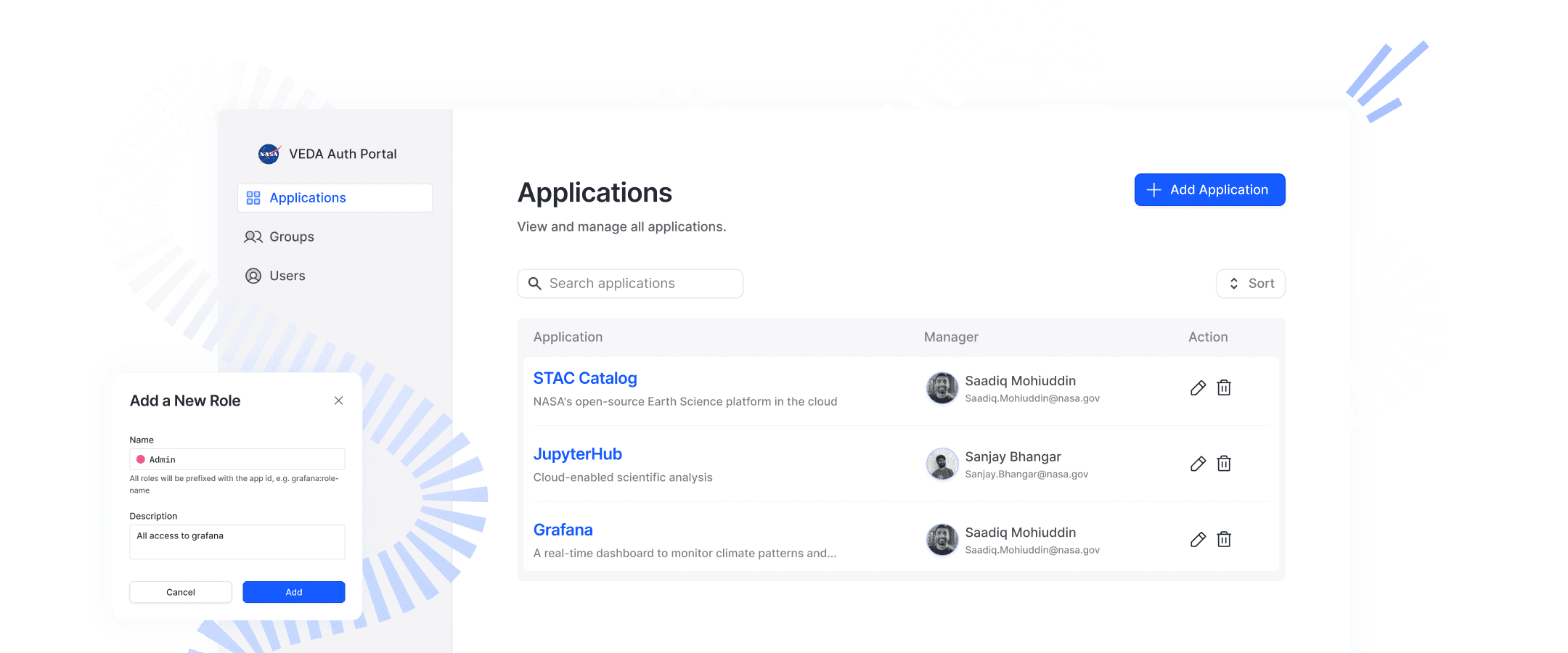
Led 0→1 Design of a Centralized Identity & Access Platform for NASA Geoscientists
my role
UX Lead — Interview, Synthesis, Ideation, Iteration, Presentation
Team
2 Designers
2 PM (NASA, GT)
5 NASA teams
Time
6 weeks, 2024
Tool
Figma
Status
Beta
Impact
Data was collected from user testing and early implementation
~40%
Reduced setup time
100%
Positive feedback
2000+
Scientists benefited
Background
VEDA is NASA’s open-source platform for exploring and analyzing Earth science data. It's being used by NASA geoscientists and researchers worldwide.
Applications
Publications
challenges - Users
The onboarding and access setup process is complex and inconsistent across VEDA applications.
"Each team has its own setup method—it’s hard to know where to start, especially for new admins."
“We’re adding users by hand through emails. It works, but it doesn’t scale.”
challenges - BUSINESS
Leadership recognized that without a unified authentication system, NASA’s vision for scalable, cloud-based science would be difficult to achieve.
solution
MVP of a centralized auth platform that streamlined setup, unified workflows across teams, and enabled scalable user and app management.
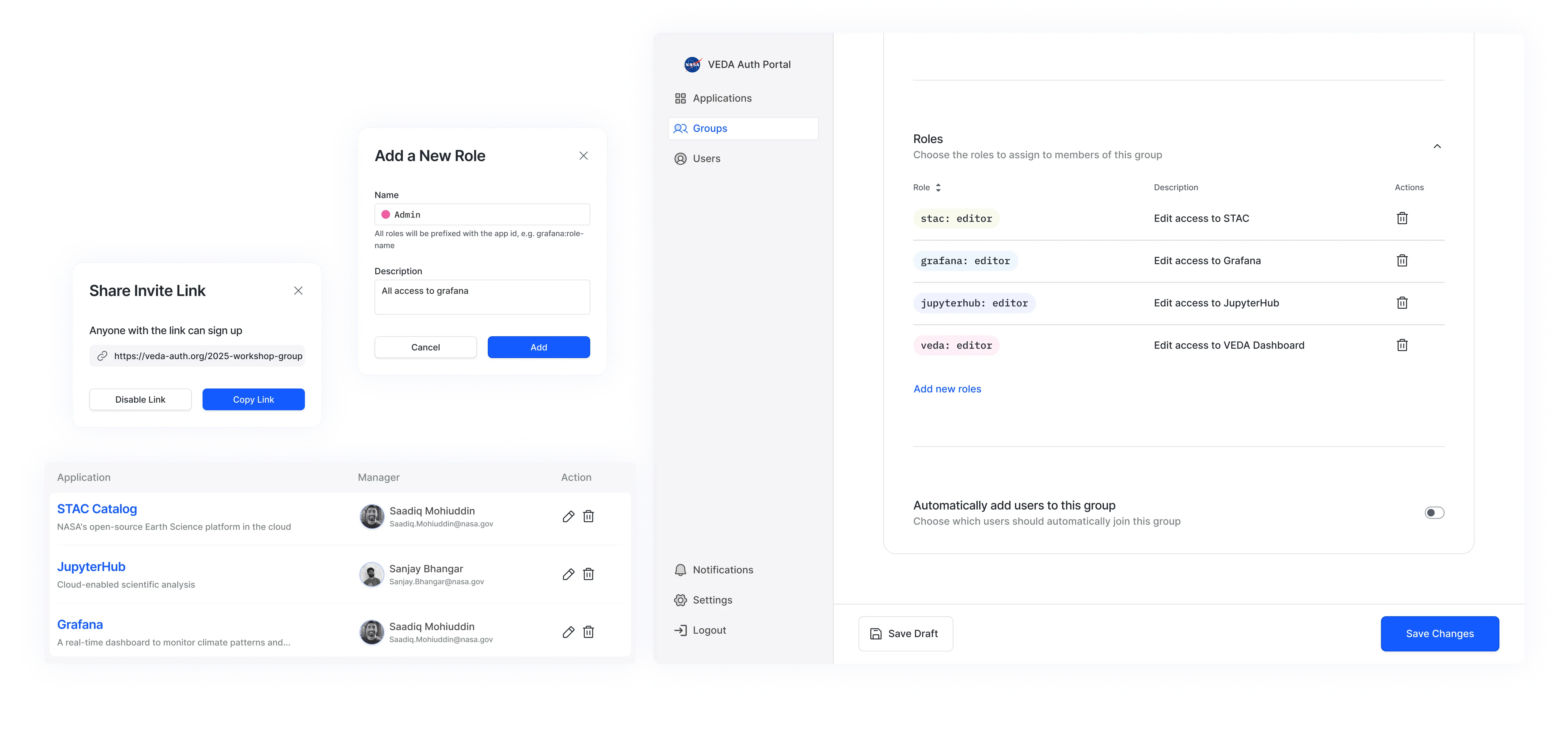
Process Highlights
Pain Point 01
Simplifying Application Configuration for Multiple Teams
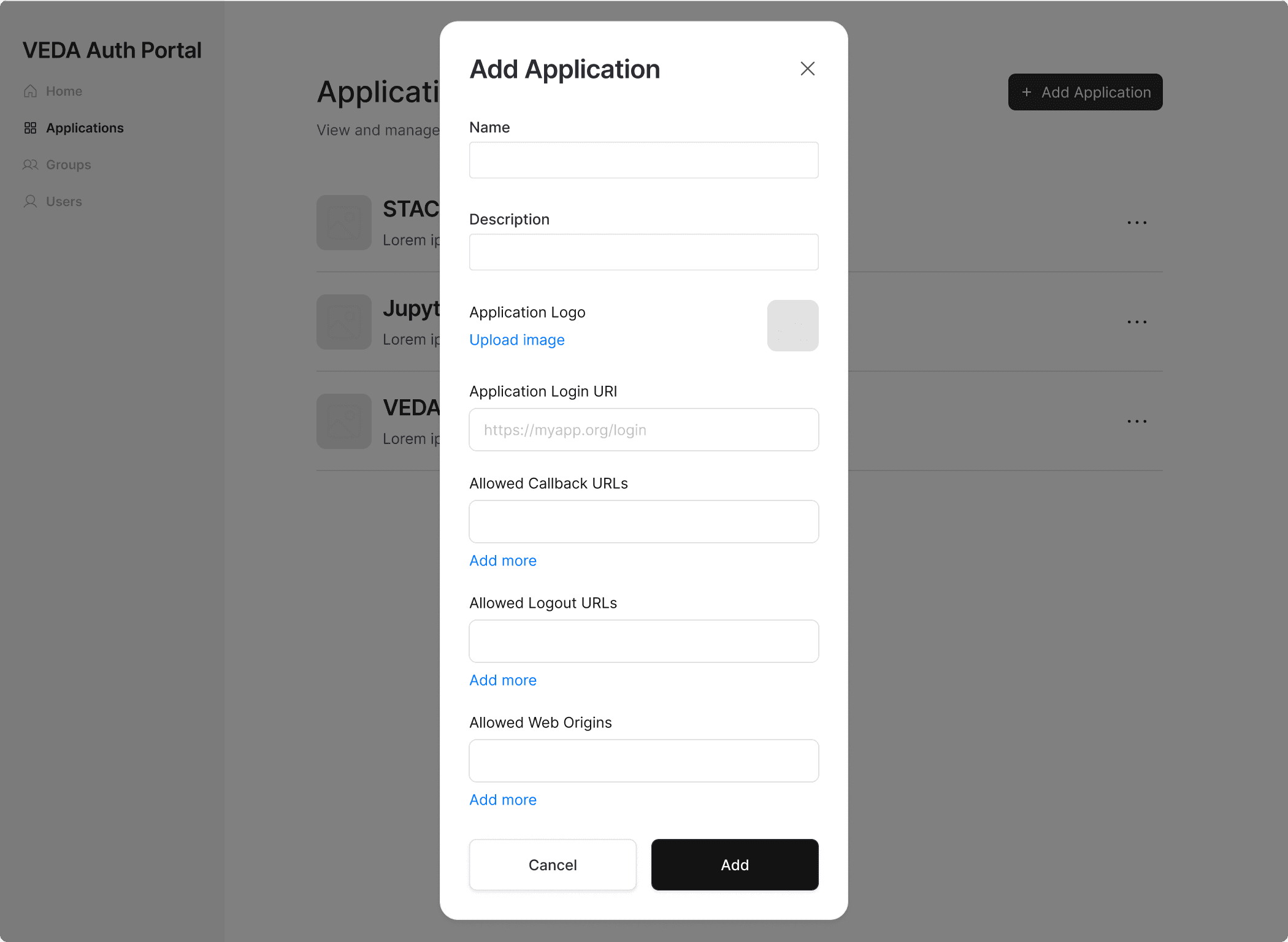
Now, Each team sets up app access manually using scripts or notebooks—leading to inconsistent workflows and setup errors.
iteration 01
Pressure test with five teams
Flow is correct
Need more configuration sessions
iteration 02
Define technical structure
Break the setup into clear sessions
Align terminology across teams to reduce confusion
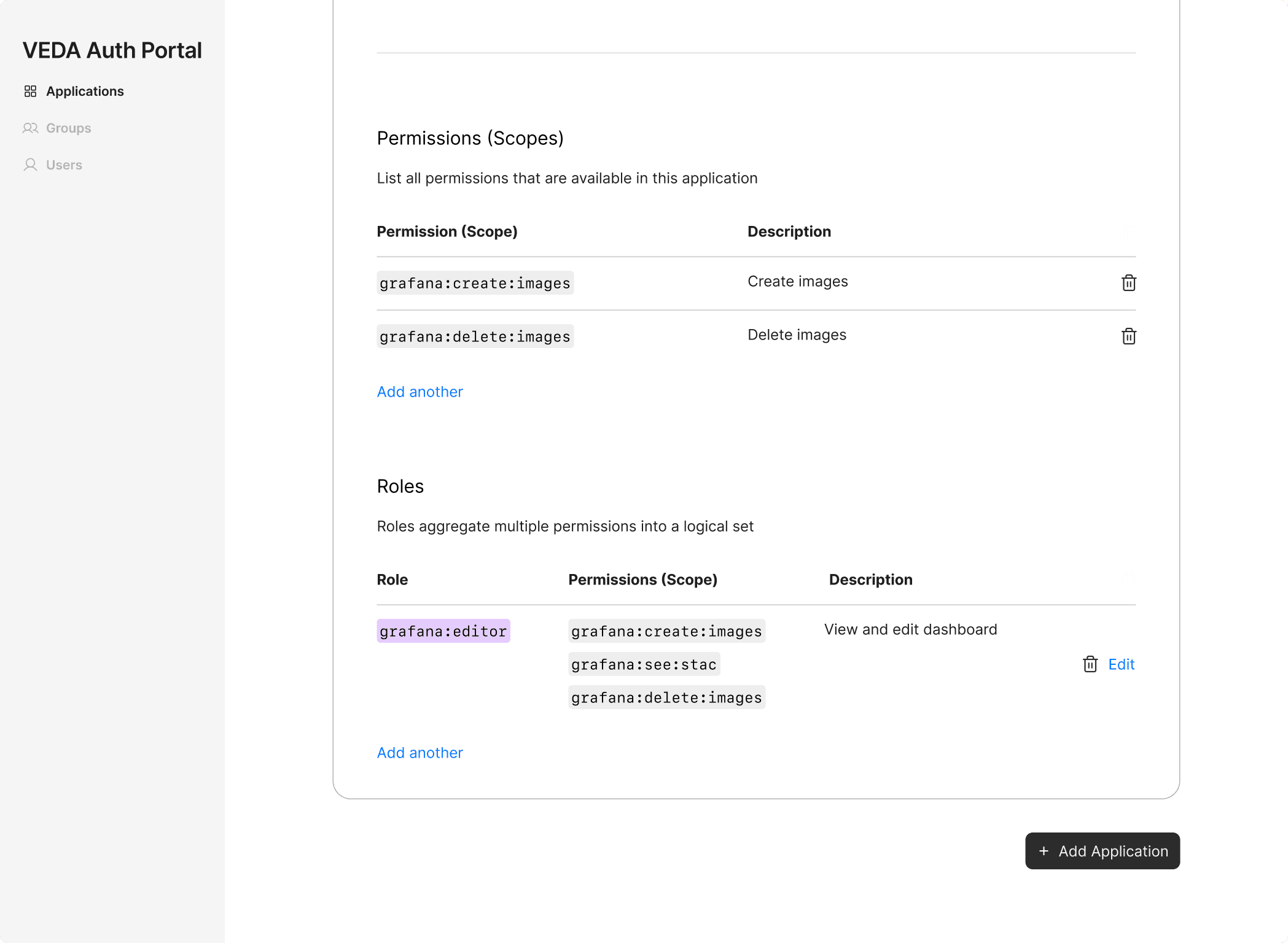
Final design
A template-based setup to streamline application creation and role definition
Pain Point 02
Designing a Scalable Group Management System
Users often work across multiple apps but need different access in each. No shared “group” model existed to manage this complexity.
Options
We explored three permission models with PMs, Engineers and users
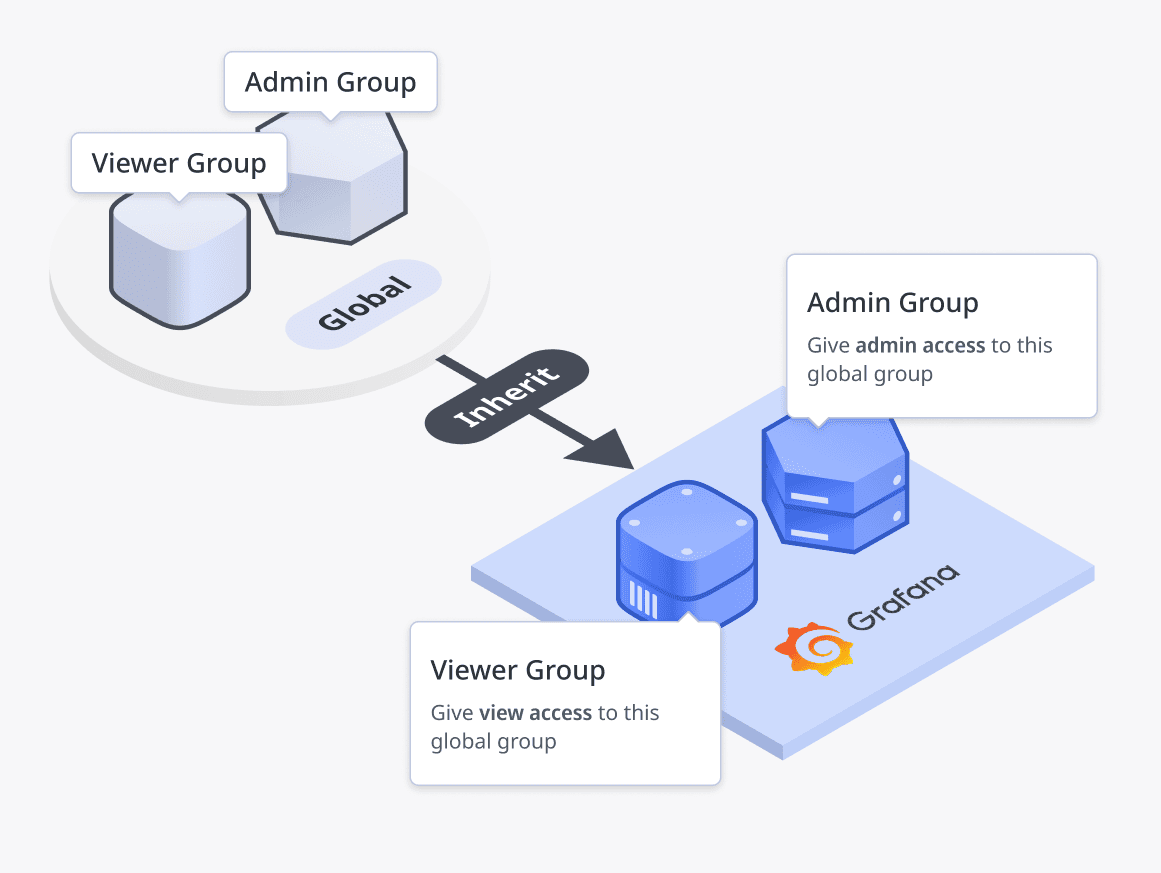
Easy for admins to manage
Limited flexibility for app teams
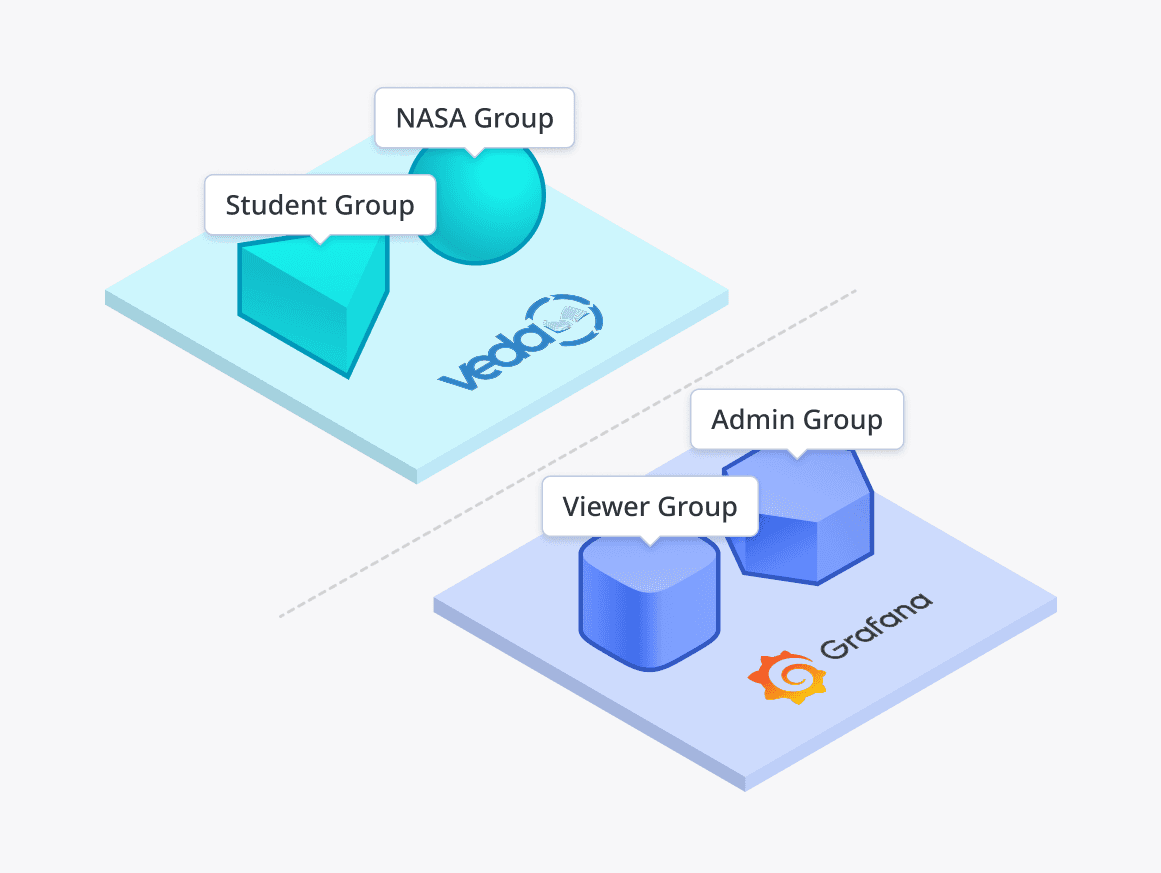
Each app manages its own groups
Gives each app team full control
No shared group for collaboration
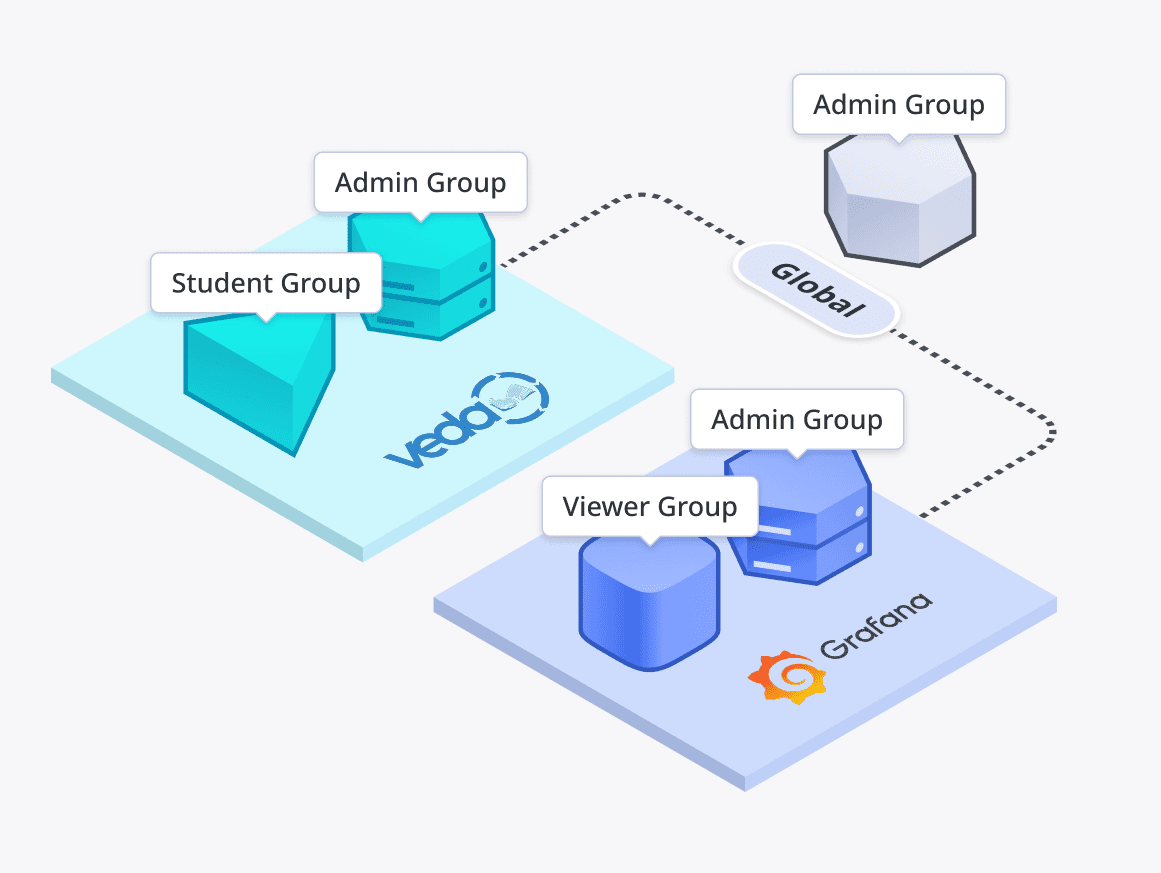
Balances control with flexibility
Can grow unnecessarily cluttered
Final design
We landed on global groups with per-app roles for simplicity. Future plans include auto-assigning users to groups for easy scalability.
My learnings
#1 Navigating a Complex Problem Space
Understanding a complex technical system requires more than desk research; it also means validating assumptions through testing with users who work in different ways. Early wireframes helped pressure-test ideas across teams, revealing differences in workflows and enable more balanced, cohesive design decisions.
#2 Ask the Obvious Questions
At first, I hesitated to ask “basic” questions, but one of them sparked the most important conversation in the project. Raising questions about platform choices and whether we needed to build everything in-house led to a productive team debate and ultimately a more realistic solution: layering on top of the existing authentication platform.
Back
View other projects